Create your WSMART IoT portal account first. After verification, you can register each sensor and activate monitoring.
1Account details2Verify email3Register sensor
i
Demo / placeholder email verification
This page is a front-end mockup. No SMTP email is sent yet. In this demo, the six-digit verification code appears on screen so the complete user journey can be tested. Connect your SMTP service later to send it by email.
STEP 1 OF 3
Create your account
Use the same account you will use to access the WSMART IoT monitoring portal.
STEP 2 OF 3
Verify your email
Enter the six-digit code sent toyour email address, then create your password.
STEP 3 OF 3
Welcome to WSMART,there
Your account is verified. Complete the steps below to start monitoring.
✓ Email verified successfully. Your WSMART IoT portal account is ready.
NEXT: REGISTER YOUR DEVICE
Register your WSMART sensor
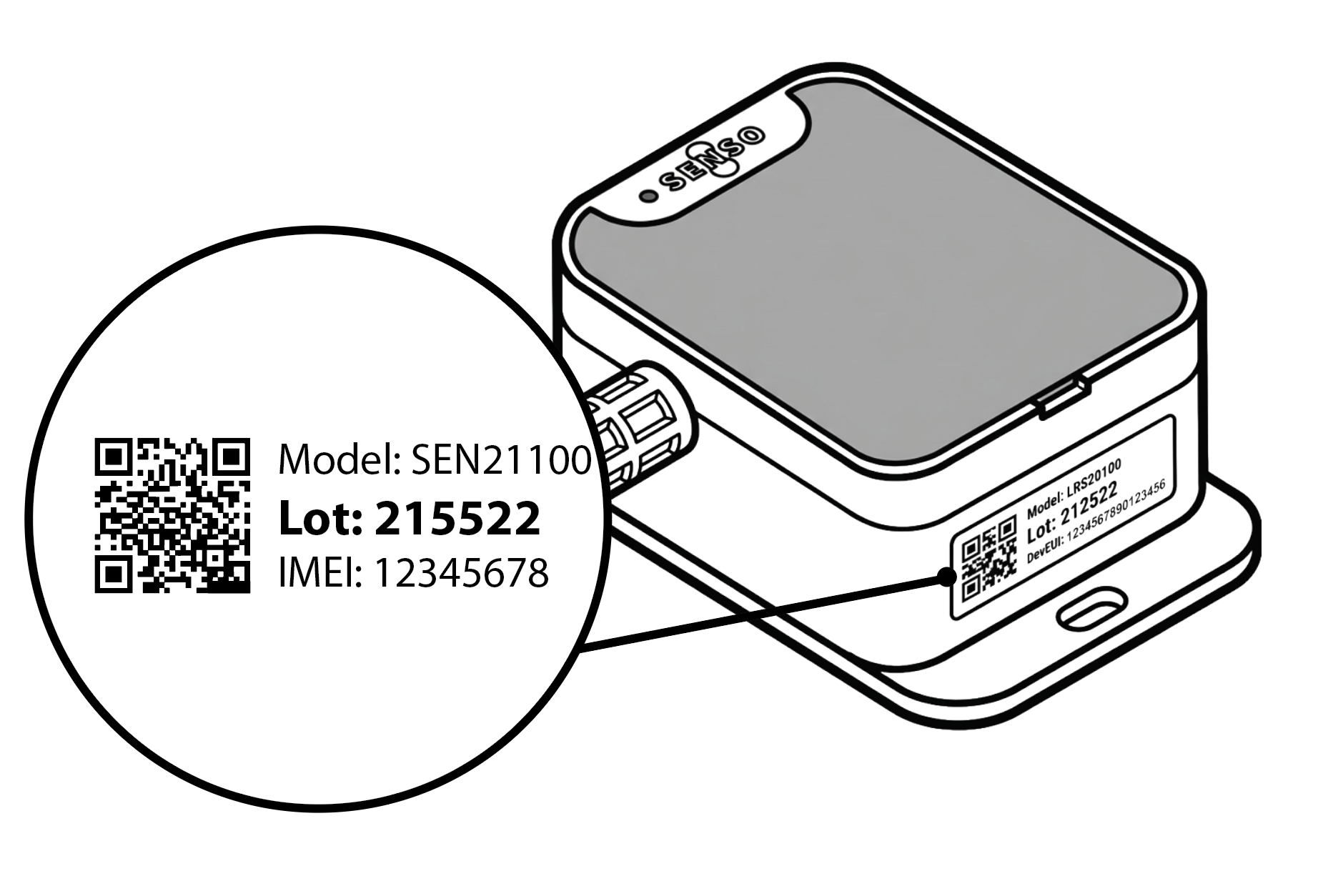
Find the IMEI on the label attached to the side of your WSMART sensor.
Enter the Order ID and the unique IMEI from the sticker on your sensor. You can type the IMEI or scan its QR code.
YOUR ACCOUNT
Subscription plans
All subscriptions linked to this account are listed below. This demo template shows how active plans, expiry dates and sensor coverage will appear after the WSMART account API is connected.
!
Renewal reminder
Your Ambient Temperature & Humidity plan expires in 24 days. Renew before the expiry date to keep monitoring active.